> For the complete documentation index, see [llms.txt](https://docs.rewst.help/llms.txt). Markdown versions of documentation pages are available by appending `.md` to page URLs; this page is available as [Markdown](https://docs.rewst.help/documentation/app-builder.md).
# App Builder
Revolutionize your MSP operations with Rewst's App Builder.
{% hint style="info" %}
Rewst Classic's earliest version of App Builder was called App Platform. App Builder is the same product as App Platform, now with a more descriptive name.
App Builder works best for users who have some existing skills in HTML and CSS. For free tutorials on how to learn those skills, Rewst recommends [W3 Schools' tutorials](https://www.w3schools.com/html/default.asp) and [Mozilla's intro and guided practice](https://developer.mozilla.org/en-US/docs/MDN/Tutorials).
{% endhint %}
## **What is App Builder?**
App Builder is an extension of Rewst Classic’s automation platform that allows MSPs to quickly build front-end web applications for interacting with Rewst-generated data from workflows, forms, and data. Apps consist of *pages*, and pages are made up of *components* like images, text, forms, tables, and charts. Use App Builder to drive additional efficiency, consistency, and visibility gains, and differentiate your personal brand through engaging front-end experiences.
## Why use App Builder?
Design app screens or pages by dragging and dropping UI components such as text blocks, images, buttons, data tables, grid containers, forms, and workflow inputs. Theme your apps with your company's logo, color palette, and typography, and host them on custom subdomains to provide a fully white-labeled experience.
## View App Builder in Rewst
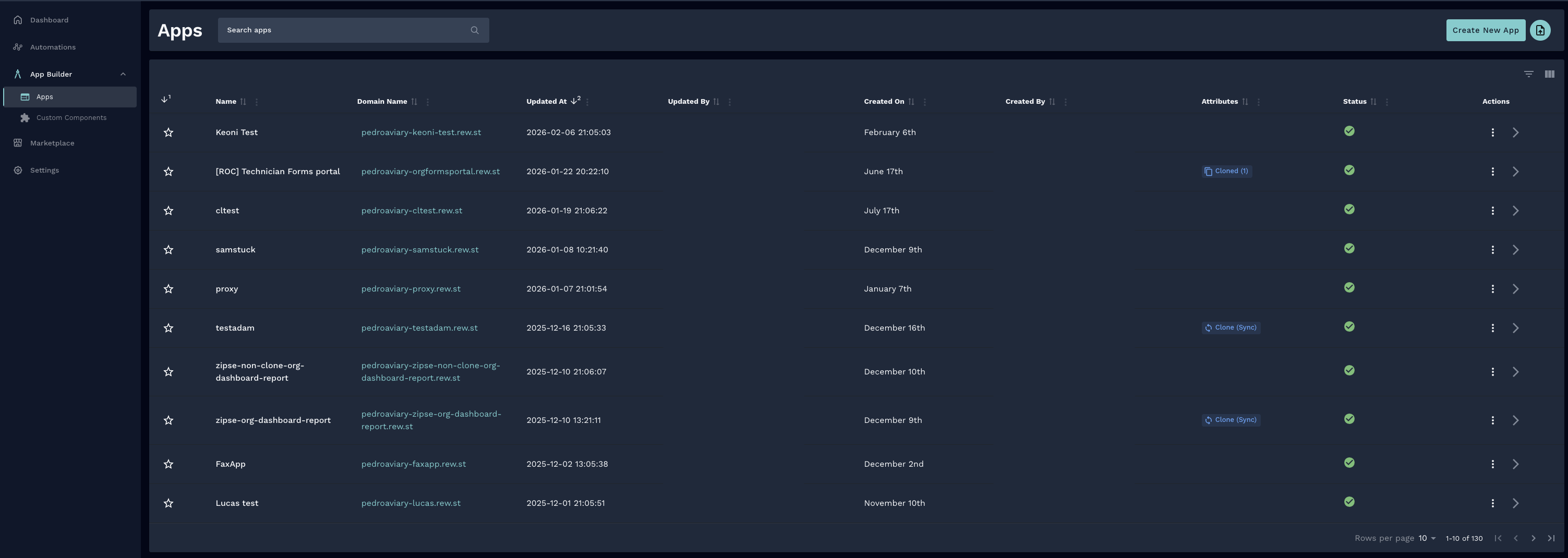
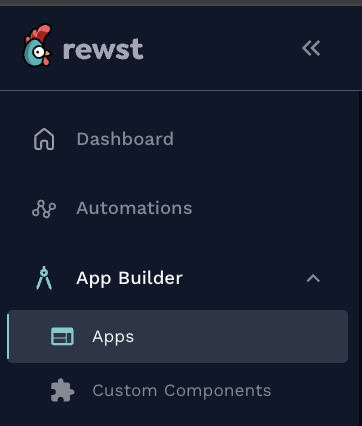
Access App Builder by navigating to **App Builder** **> Apps** in the left side menu of your Rewst Platform.
The center of the App Builder screen contains a list of all your apps. Click either the name of the app or **>** to the right of your app to open its profile and info screen.
Click **⋮** to the right of the app in the **Actions** column to expand the **Delete**, **Permissions**, **Export**, and **Clone** submenus.
## More on how to use App Builder
{% content-ref url="/pages/HUU34PkBLIArnK8mb2LJ" %}
[App Builder: Overview of how to create an app](/documentation/app-builder/getting-started.md)
{% endcontent-ref %}
{% content-ref url="/pages/1ilaWaHIjMuHtfZZ1pSt" %}
[App Builder: Pages](/documentation/app-builder/app-builder-pages.md)
{% endcontent-ref %}
{% content-ref url="/pages/7bLOg5CvL49smOZUVlUz" %}
[App Builder: Domains](/documentation/app-builder/domains.md)
{% endcontent-ref %}
{% content-ref url="/pages/gmwlQR09IFOZqpFIUKAS" %}
[App Builder: Permissions](/documentation/app-builder/permissions.md)
{% endcontent-ref %}
{% content-ref url="/pages/s9nafbkjsWFrJsqwyBxD" %}
[App Builder: Authentication for apps](/documentation/app-builder/authentication.md)
{% endcontent-ref %}
{% content-ref url="/pages/jSjFL6INS5dP6qFXlobO" %}
[App Builder: Components](/documentation/app-builder/components.md)
{% endcontent-ref %}
{% content-ref url="/pages/gonKNYLpmxjX1tBZ6KV9" %}
[App Builder: Themes](/documentation/app-builder/themes.md)
{% endcontent-ref %}
{% content-ref url="/pages/O0XGEhBH7hoz3tcX50d2" %}
[App Builder Prebuilt Apps: Available by request](/documentation/app-builder/prebuilt-apps.md)
{% endcontent-ref %}
{% hint style="info" %}
If you have suggestions for new App Builder features, or general feedback about your experience using this part of Rewst Classic, submit your thoughts to our [Canny](https://rewst.canny.io/app-builder).
{% endhint %}
---
# Agent Instructions
This documentation is published with GitBook. GitBook is the documentation platform designed so that both humans and AI agents can read, navigate, and reason over technical content effectively. Learn more at gitbook.com.
## Querying This Documentation
If you need additional information that is not directly available in this page, you can query the documentation by asking a question.
Perform an HTTP GET request on the following URL with the `ask` and `goal` query parameters:
```
GET https://docs.rewst.help/documentation/app-builder.md?ask=&goal=
```
`ask` is the immediate question: it should be specific, self-contained, and written in natural language.
`goal` is what the user is ultimately trying to achieve, the reason they need the answer. Sharing it helps GitBook give you a better, more relevant answer. A goal is most helpful when it describes the outcome the user wants rather than restating the question. For example, with `ask=how do I create an API token`, a goal like `automate deployments from our CI pipeline` lets GitBook tailor the answer to that use case.
The response will contain a direct answer to the question and relevant excerpts and sources from the documentation.
Use this mechanism when the answer is not explicitly present in the current page, you need clarification or additional context, or you want to retrieve related documentation sections.