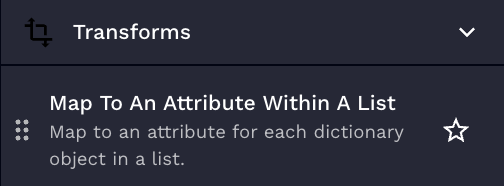
# Map to an attribute within a list transform action
## Use case
You are trying to create a list of users from a Microsoft Graph return and want to create a flat list of all the display names for the users.
## Overview
Map to an attribute for each dictionary object in a list.
## Parameters
Parameter
Description
Required
Attribute
The attribute to map to, dot notation can be used. For example, result.result
true
List
The list you would like to perform the map on.
true
{% hint style="info" %}
This is useful for working with results returned from actions running with items so you don't have to worry about the nested result keys.
{% endhint %}
## Usage
Example 1: Mapping to usernames in a response
Inputs:
**Attribute:** result.result.data.username
**List:**
```json
[
{
"result": {
"result": {
"data": {
"username": "amorton"
}
}
}
},
{
"result": {
"result": {
"data": {
"username": "bmorton"
}
}
}
},
{
"result": {
"result": {
"data": {
"username": "cmorton"
}
}
}
},
{
"result": {
"result": {
"data": {
"username": "dmorton"
}
}
}
},
{
"result": {
"result": {
"data": {
"username": "emorton"
}
}
}
}
]
```
## Results output
This transform is expected to return a new list that is mapped to the selected attribute.
Example of result for Example 1:
```json
[
"amorton",
"bmorton",
"cmorton",
"dmorton",
"emorton"
]
```