# Select attribute transform action

## Use case

While reviewing a list of users returned from Microsoft Graph, you need to get a list of the users who have a `accountEnabled` attribute value set to `true` .

## Overview

<figure><img src="https://1835401289-files.gitbook.io/~/files/v0/b/gitbook-x-prod.appspot.com/o/spaces%2FAQQ1EHVcEsGKBPVHmiav%2Fuploads%2FGADjbXMS8oPwqkUauq1S%2FScreenshot%202025-03-28%20at%2011.29.37%E2%80%AFAM.png?alt=media&#x26;token=5b2c2a88-1bbc-4495-9564-c55d56ba6306" alt=""><figcaption></figcaption></figure>

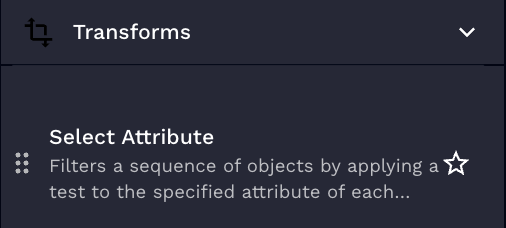
This action filters a sequence of objects by applying a test to the specified attribute of each object, and only selecting the objects where the test succeeds.

## Parameters

<table><thead><tr><th width="217">Parameter</th><th width="417.3333333333333">Description</th><th data-type="checkbox">Required</th></tr></thead><tbody><tr><td>Attribute</td><td>The attribute of an object in the list that you would like to select if the condition is true. If nested, please use dot notation.</td><td>true</td></tr><tr><td>Comparison Operator</td><td>Test used for selecting matches. For information on the tests see <a href="https://jinja.palletsprojects.com/en/stable/templates/#jinja-tests">Jinja's documentation here</a>.</td><td>true</td></tr><tr><td>List</td><td>This is the list to run select attribute against.</td><td>true</td></tr><tr><td>Value to Compare Against</td><td>The value to compare the attribute against, this is required for most tests but tests such as true, false, defined, undefined do not require it. If a value is supplied and not needed it will be ignored.</td><td>false</td></tr></tbody></table>

{% hint style="info" %}
For nested field names, separate them by dots (e.g., `details.age`).
{% endhint %}

## Usage

<details>

<summary>Example: List Input</summary>

```json
[
  {
    "result": {
      "result": {
        "data": {
          "age": 20,
          "bool": true,
          "username": "amorton"
        }
      }
    }
  },
  {
    "result": {
      "result": {
        "data": {
          "age": 25,
          "bool": true,
          "username": "bmorton"
        }
      }
    }
  },
  {
    "result": {
      "result": {
        "data": {
          "age": 27,
          "bool": false,
          "username": "cmorton"
        }
      }
    }
  },
  {
    "result": {
      "result": {
        "data": {
          "age": 30,
          "bool": false,
          "listah": [],
          "username": "dmorton"
        }
      }
    }
  },
  {
    "result": {
      "result": {
        "data": {
          "age": 22,
          "bool": true,
          "username": "emorton"
        }
      }
    }
  },
  {
    "result": {
      "result": {
        "data": {
          "age": 29.99,
          "bool": null,
          "username": "fmorton"
        }
      }
    }
  }
]
```

</details>

<details>

<summary>Example 1: Return Users With Odd Ages</summary>

Inputs:

**Attribute:** result.result.data.age

**Comparison Operator:** odd

**List**: See `Example: List Input`

**Value to Compare Against**: None

</details>

<details>

<summary>Example 2: Return Users With Age Greater Than or Equal to 30</summary>

Inputs:

**Attribute:** result.result.data.age

**Comparison Operator:** ge

**List**: See `Example: List Input`

**Value to Compare Against**: 30

</details>

## Results output

The expected output for this transform is a list of objects that tested true.

Example from Example 1:

```json
[
  {
    "result": {
      "result": {
        "data": {
          "age": 25,
          "bool": true,
          "username": "bmorton"
        }
      }
    }
  },
  {
    "result": {
      "result": {
        "data": {
          "age": 27,
          "bool": false,
          "username": "cmorton"
        }
      }
    }
  }
]
```

Example from Example 2:

```json
[
  {
    "result": {
      "result": {
        "data": {
          "age": 30,
          "bool": false,
          "listah": [],
          "username": "dmorton"
        }
      }
    }
  }
]
```