# Convert list to object transform action

## Overview

<figure><img src="https://1835401289-files.gitbook.io/~/files/v0/b/gitbook-x-prod.appspot.com/o/spaces%2FAQQ1EHVcEsGKBPVHmiav%2Fuploads%2FEoeWeOtGCxUKCCrxxJIS%2FScreenshot%202025-03-28%20at%2011.26.59%E2%80%AFAM.png?alt=media&#x26;token=a024cff1-247a-4479-9584-6524757cdab3" alt=""><figcaption></figcaption></figure>

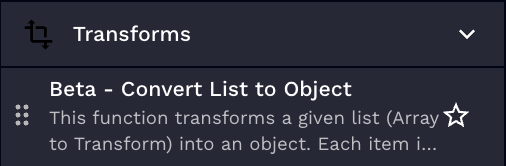
This transform action allows you to convert a list of objects into a single object, creating each object's property using user-defined key-value pairs extracted from the list, and simplifying the handling of complicated list structures.

<figure><img src="https://1835401289-files.gitbook.io/~/files/v0/b/gitbook-x-prod.appspot.com/o/spaces%2FAQQ1EHVcEsGKBPVHmiav%2Fuploads%2FXs7qJnuKcEpbcvIMnJSR%2FScreenshot%202025-03-24%20at%2010.54.26%E2%80%AFAM.png?alt=media&#x26;token=8347edec-ff13-445b-b257-6b17efe83f93" alt=""><figcaption></figcaption></figure>

## Parameters

<table><thead><tr><th width="217">Parameter</th><th width="417.3333333333333">Description</th><th data-type="checkbox">Required</th><th data-hidden data-type="checkbox">Required</th></tr></thead><tbody><tr><td>List to Transform</td><td>The list of objects you want to transform into a single object. Each item in the list should be a object with key-value pairs.</td><td>true</td><td>true</td></tr><tr><td>Field to use as Key</td><td>The field name from the items in your list that you want to use as keys in your new object.</td><td>true</td><td>true</td></tr><tr><td>Field to use as Value</td><td>The field name from the items in your list that you want to use as values in your new object.</td><td>true</td><td>true</td></tr></tbody></table>

{% hint style="info" %}
For nested field names, separate them by dots (e.g., `details.age`).
{% endhint %}

## Usage

The `Convert List to Object` transform provides a powerful way to reshape your data to meet specific requirements. The ability to define keys and values, including the ability to access nested data, makes it versatile for a range of scenarios. Let's go through a couple of use-case examples to demonstrate how this transform can be applied to your data.

<details>

<summary>Example 1: Simple Key-Value Conversion</summary>

Let's assume we have this list of objects called `mylist`:

```json
mylist: [
  {
    name: "John",
    age: 30,
    hobbies: ["golf", "reading"],
  },
  {
    name: "Mary",
    age: 35,
    hobbies: ["cooking", "music"],
  },
]
```

**Action Parameters:**

We want to create a new object where the keys are the `name` field and the values are the `age` field. We would use the following parameters:

```json
key_field: name
value_field: age
```

**Jinja2 Equivalent:**

```jinja2
{% set new_object = {} %}
{% for item in mylist %}
  {% set _ = new_object.update({item['name']: item['age']}) %}
{% endfor %}


```

</details>

<details>

<summary>Example 2: Nested Key-Value Conversion</summary>

Now, let's consider a list of objects where some fields are nested:

```json
mylist: [
  {
    name: "John",
    details: {
      age: 30,
      occupation: "Engineer"
    },
    hobbies: ["golf", "reading"],
  },
  {
    name: "Mary",
    details: {
      age: 35,
      occupation: "Doctor"
    },
    hobbies: ["cooking", "music"],
  },
]
```

**Action Parameters:**

In this case, the `age` field is nested under the `details` object. So, to create an object where the keys are the `name` field and the values are the `age` field nested under `details`, we would use the following parameters:

```json
key_field: name
value_field: details.age
```

**Jinja2 Equivalent:**

```jinja2
{% set new_object = {} %}
{% for item in mylist %}
  {% set _ = new_object.update({item['name']: item['details']['age']}) %}
{% endfor %}


```

</details>

## Results output

In both of these examples, your new output object would look as follows:

```json
results: {
  "John": 30,
  "Mary": 35
}
```

{% hint style="info" %}
*This transform is especially useful when dealing with data structures like ConnectWise PSA Custom Fields or Communication Items.*
{% endhint %}
