# Conditional fields
You'll often have forms that you want to use across a multitude of clients, but sometimes fields may not be relevant to them all. Rewst has *conditional fields* that can be used to determine whether you show another field.
## Conditional field example
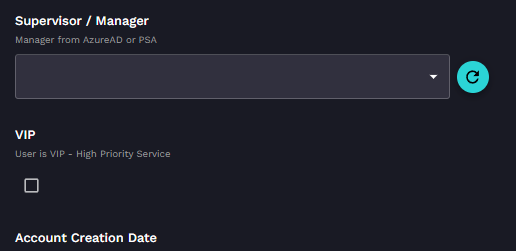
In our example, we will look at the **Supervisor** field when creating a new user. In the image below, no Supervisor is set, and therefore the following field is another drop-down for further information.
You can then see that if we add content to that supervisor drop-down, which is a list of users pulled dynamically from Microsoft365, a new field appears.
This boolean field is then checked on, which gives access to another relevant field.
Rather than giving fields to a user that bear no relevance, you only give them fields they must fill in.
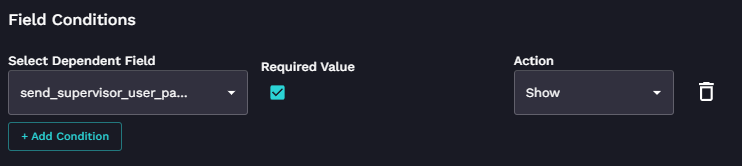
These conditional fields are set by clicking the field on the form and clicking **Set Conditional Field**, which presents you with the below.
## Jinja for field conditions in forms
There are times where you may need to use criteria for a form condition that is not accounted for by the available drop-down selections, such as when organization information or organization variables are part of the criteria. At these times, you might instead opt to use a Jinja condition, such as `{{ ORG.VARIABLES.variable_name == "value" }}`.
Another case where the use of Jinja may be required is when multiple conditions need to be met, even if those conditions are normally available in the drop-down selections. An example of this would be `{{ (CTX.field_name_1 == "value_1") and (CTX.last_name != "value_2") }}` .