> For the complete documentation index, see [llms.txt](https://docs.rewst.help/llms.txt). Markdown versions of documentation pages are available by appending `.md` to page URLs; this page is available as [Markdown](https://docs.rewst.help/rewst-documentation/documentation/apps/app-domains.md).
# App domains
## Default subdomain structure
By default, all apps hosted on Rewst are assigned a subdomain under `*.rew.st`. This means your app's URL will be in the format `your-app-name.rew.st`. Rewst takes care of the underlying infrastructure, allowing you to focus on building and deploying your apps.
### Custom subdomains
#### Initial setup
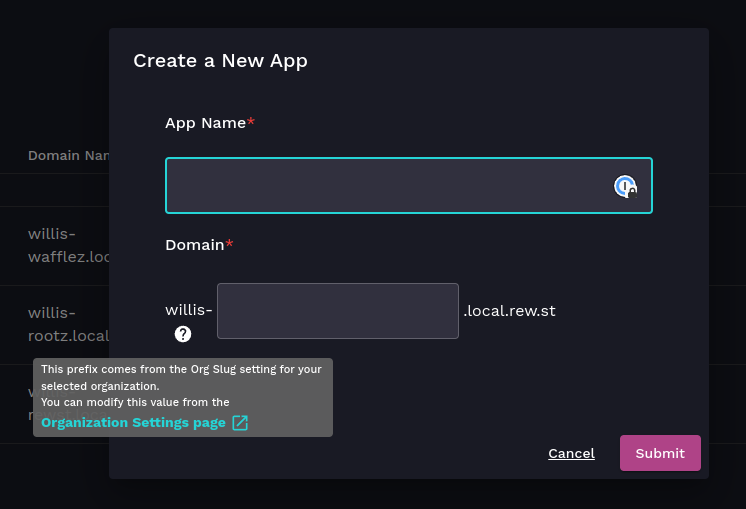
When you first create your app, Rewst provides an option for a custom subdomain. This custom subdomain follows the pattern `-.rew.st`.
* ``: This is your organization's unique identifier. You can update it in the Rewst Settings page for your organizations.
* ``: You can choose a custom subdomain for your app during the creation process.
#### Update the organization slug
URLs on your App Builder pages are generated based on your organization slug within Rewst. If you wish to update your organization's slug:
1. Navigate to **Settings > Organization** in the left side menu of your Rewst platform. Do this for the organization you're using for your app.
2. Click  to open the display options list.
3. Check the **Org Slug** column. \

4. Locate the organization slug field for your organization.
5. Click  to the far right of your organization to enable editing.
6. Update the org slug as needed.
7. Click  to save.
8. Changes will take effect immediately.
#### Update the custom subdomain
To modify the custom subdomain of your app:
1. Open your app in App Builder.
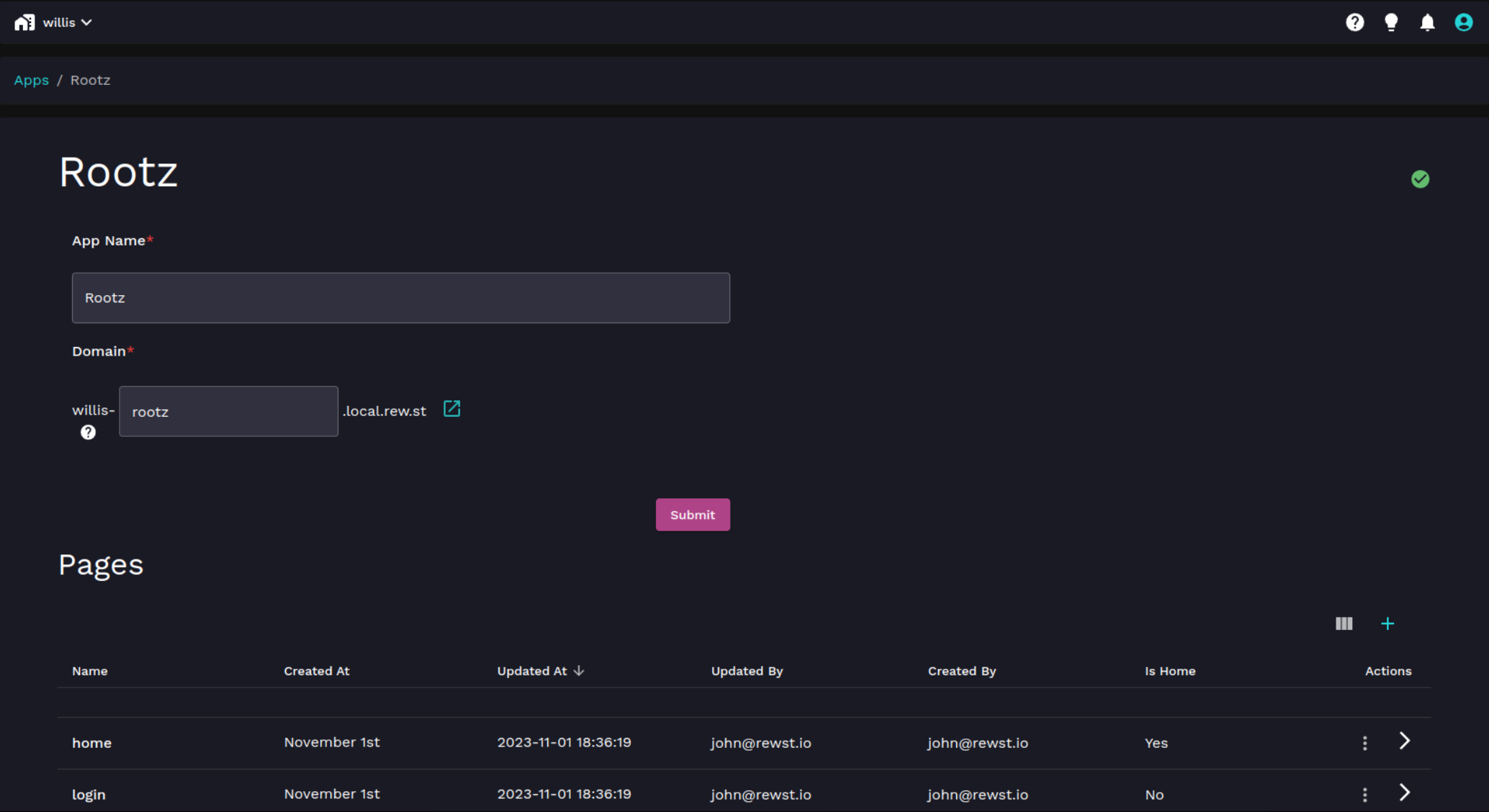
2. Look for the option to update the subdomain.
3. Enter your desired custom subdomain.
4. Confirm the changes.
#### Example:
Let's say your organization slug is `myorg` and your custom subdomain is `app1`. Your app's URL would be `myorg-app1.rew.st`.
### Why customize subdomains?
Custom subdomains provide a branded and personalized touch to your apps. It makes them easily identifiable and memorable for your users. Whether you're representing a business, project, or personal endeavor, a custom subdomain adds a professional touch to your online presence.
### Custom domain support and creation guidelines
Rewst offers custom domain support, allowing you to use your own domain name for your Rewst-hosted apps. Ensure that your custom subdomains comply with Rewst's guidelines and any applicable legal or branding standards. Abusive or inappropriate subdomains may be subject to action by Rewst.
{% hint style="info" %}
If you have suggestions for new App Builder features, or general feedback about your experience using this part of Rewst, submit your thoughts to our [Canny](https://rewst.canny.io/app-builder).
{% endhint %}
---
# Agent Instructions
This documentation is published with GitBook. GitBook is the documentation platform designed so that both humans and AI agents can read, navigate, and reason over technical content effectively. Learn more at gitbook.com.
## Querying This Documentation
If you need additional information that is not directly available in this page, you can query the documentation by asking a question.
Perform an HTTP GET request on the following URL with the `ask` and `goal` query parameters:
```
GET https://docs.rewst.help/rewst-documentation/documentation/apps/app-domains.md?ask=&goal=
```
`ask` is the immediate question: it should be specific, self-contained, and written in natural language.
`goal` is what the user is ultimately trying to achieve, the reason they need the answer. Sharing it helps GitBook give you a better, more relevant answer. A goal is most helpful when it describes the outcome the user wants rather than restating the question. For example, with `ask=how do I create an API token`, a goal like `automate deployments from our CI pipeline` lets GitBook tailor the answer to that use case.
The response will contain a direct answer to the question and relevant excerpts and sources from the documentation.
Use this mechanism when the answer is not explicitly present in the current page, you need clarification or additional context, or you want to retrieve related documentation sections.